


Create a Balanced Digital Routine with Qustodio
Digital devices are now an important part of everyday family life. Children use smartphones, tablets, computers, and other connected devices for education, entertainment, communication, and creativity. While technology can provide valuable opportunities, families may also need practical ways to create healthy boundaries around device use.
Qustodio provides parental control and digital wellbeing tools that can help parents manage children’s digital routines. Instead of relying only on verbal reminders, parents can use technology management features to establish rules and understand how devices are being used.
A balanced digital routine is not about completely removing technology. It is about helping children understand when screens are useful, when they are appropriate for entertainment, and when it is important to focus on offline activities. With consistent guidance, families can create technology habits that work for their individual needs.
Manage Screen Time Around Family Schedules

Screen time can become difficult to manage when children have access to devices throughout the day. Schoolwork, games, videos, social platforms, and other digital activities can quickly add up.
Qustodio offers tools designed to help parents manage the amount of time children spend using connected devices. Parents can create boundaries that fit around school, homework, meals, sleep, family activities, and other daily responsibilities.
Having clear expectations can make screen time easier to understand. Children can learn that devices have specific times for use rather than being available without limits throughout the day.
Every family has a different schedule, so digital rules can be adjusted according to individual circumstances. Parents can create routines that provide space for technology while also encouraging physical activity, hobbies, reading, social interaction, and rest.
Understand Digital Activity More Clearly
Knowing how a child uses technology can be just as important as knowing how long they use it. Children may move between websites, applications, games, videos, and other digital services throughout the day.
Qustodio provides activity monitoring features that can give parents greater visibility into digital habits. Reviewing this information can help parents understand patterns and identify areas that may require a conversation.
For example, parents may discover that a child is spending more time than expected on a particular type of activity. Rather than immediately assuming there is a problem, this information can be used as a starting point for discussion.
Open communication can help children understand the reasons behind digital boundaries. Parents can explain that monitoring and rules are intended to support safety and healthy habits rather than simply restrict access to technology.
Establish Age-Appropriate Digital Boundaries
Children’s technology needs change as they grow. A young child may require more direct restrictions, while an older child may gradually need more independence and responsibility.
Qustodio can help parents establish digital boundaries that reflect their family’s expectations. Parents can consider the child’s age, maturity, school responsibilities, and individual circumstances when deciding which rules are appropriate.
Age-appropriate boundaries can include limits around certain applications, websites, or periods of device use. These rules can also be reviewed as children become more responsible.
The purpose of setting boundaries is to create a structured environment where children can learn how to make better digital decisions. Parents can gradually encourage greater independence while continuing to provide guidance when necessary.
Encourage Safer Online Experiences
The internet provides access to an enormous amount of information, but children can also encounter content or interactions that are not appropriate for them. Parents may therefore want tools that provide additional oversight.
Qustodio offers parental control features that can help parents manage children’s access to websites and applications. These tools can complement conversations about online safety and responsible internet use.
Parents can teach children practical habits such as avoiding suspicious links, keeping passwords private, being careful about sharing personal information, and asking for help when they encounter something uncomfortable online.
Technical controls are only one part of online safety. Children also need the confidence to talk to a trusted adult when they have questions or concerns.
Combining parental controls with education can help children gradually develop stronger digital awareness.
Make Time for Offline Activities
Healthy technology habits involve more than limiting screen time. Children also need opportunities to participate in activities away from screens.
Families can encourage outdoor play, sports, reading, creative hobbies, family conversations, and social activities. Establishing device-free periods can make it easier to create space for these experiences.
Qustodio’s screen management tools can support families that want to create clearer boundaries around when devices are available. Parents can use these tools alongside household routines to establish a predictable balance between digital and offline activities.
For example, families may choose to avoid devices during meals or create screen-free periods before bedtime. Simple routines can make it easier for children to understand that technology is one part of their lifestyle rather than the focus of every activity.
Build Responsible Digital Habits Together
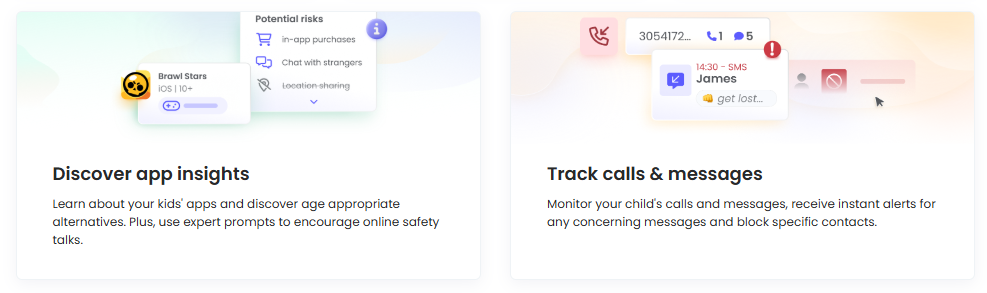
Children learn digital habits from the environment around them. Parents can support healthy behavior by setting clear expectations and demonstrating responsible technology use themselves.
Qustodio can be part of a broader family approach to digital wellbeing. Parents can use its tools to manage screen time and online activity while also encouraging children to think about how and why they use technology.
Family discussions can cover topics such as privacy, respectful communication, online content, passwords, social media, and appropriate device use. These conversations can help children understand the reasoning behind household rules.
As children grow older, parents can gradually shift from direct control toward greater independence. Reviewing digital habits together can help children learn how to manage their own screen time and make thoughtful choices.
Create a Healthier Digital Future with Qustodio
Modern families rely on technology for many aspects of everyday life. Children use digital devices to learn, communicate, play, explore interests, and stay connected. Because technology is so closely integrated into daily routines, developing healthy digital habits is increasingly important.
Qustodio provides tools that can help parents create structure around children’s device use. Screen time management, activity monitoring, and website and application controls can support families as they establish appropriate digital boundaries.
However, technology management works best when combined with communication and education. Parents can use digital tools as part of a larger strategy that teaches children about online safety, privacy, responsibility, and balance.
A healthy digital routine should leave room for both technology and offline experiences. Children can benefit from time spent learning online as well as time spent sleeping, exercising, socializing, creating, and exploring the world away from screens.
Qustodio can help parents bring greater organization to this process. By providing greater visibility and control, it gives families tools for developing digital routines that fit their needs.
As children’s technology use changes over time, families can review their rules and adjust them accordingly. The goal is to help children gradually become confident and responsible technology users.
With clear expectations, open conversations, and appropriate digital management tools, families can create a more balanced approach to technology. Qustodio provides a practical way for parents to support healthier screen time habits while helping children develop the skills they need to navigate the digital world responsibly.